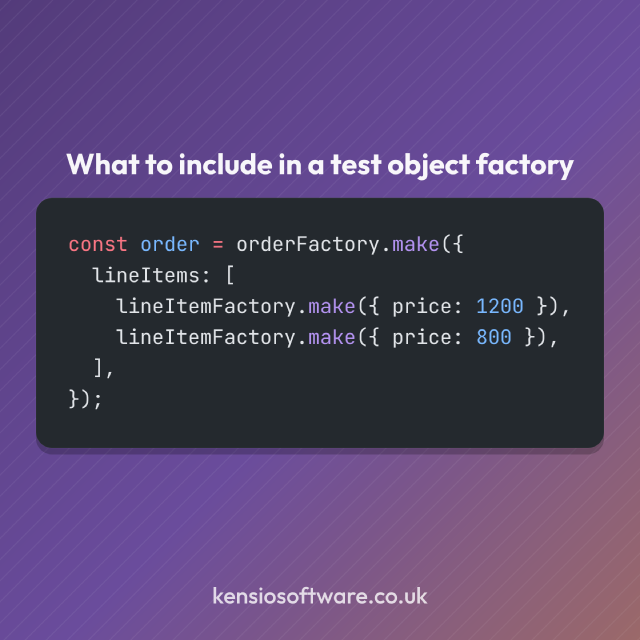
The @kensio/part-factory package provides a minimalist object factory pattern with strong TypeScript typing.
When writing tests, it’s common to need objects that are mostly boilerplate. A test might only care that a user has a particular email address, but creating that user object may require a username, profile settings, timestamps and a collection of other properties. As those objects grow, the setup code can easily become more prominent than the behaviour being tested.
Part Factory can help to make that test setup more concise and readable. A factory defines a complete default object, and each test overrides only the properties that are relevant to the scenario being tested.
The basic idea
A factory contains the default values for an object:
interface Foo {
  name: string;
  size: number;
}
import { StaticFactory } from "@kensio/part-factory";

const fooFactory = new StaticFactory<Foo>({
  name: "Foobar",
  size: 10,
});

const defaultFoo = fooFactory.make();
// { name: "Foobar", size: 10 }

const myFoo = fooFactory.make({ size: 20 });
// { name: "Foobar", size: 20 }
Instead of repeating every property in every test, the test only specifies what is different. The defaults remain in one place, making the test setup easier to read and reducing the amount of noise surrounding the important assertions.
There is a recursive DeepPartial<T> type in @kensio/part-factory, so TypeScript can follow the
partially overridden properties in each test case.
Why use a factory pattern?
For small objects with a couple of properties, plain object literals are unproblematic. The benefit of a factory pattern like this becomes more obvious when the same type appears throughout a test suite, when objects are deeply nested, or when application types evolve over time.
A common maintenance problem is that object construction becomes scattered across dozens or hundreds of tests. If a type gains a new required property, many tests may need updating even though they have no interest in that property. By centralising defaults inside a factory, those changes can be handled in one location.
Tests that care about the new property can still override it explicitly, while the rest continue to use the default value provided by the factory.
Static and dynamic defaults
Part Factory provides two approaches to default values.
StaticFactory uses fixed values, which is enough for simple test data where we don’t need to test
differing values. AWS SDK event and request structures often work well with static factories.
The alternative DynamicFactory generates fresh values each time a test object is created, making
it useful for IDs, timestamps, names and other generated data where we want to test differing
values.
import { DynamicFactory } from "@kensio/part-factory";
import { faker } from "@faker-js/faker";

const fooFactory = new DynamicFactory<Foo>(() => ({
  name: faker.word.noun(),
  size: faker.number.int({ max: 100 }),
}));

const defaultFoo = fooFactory.make();
// { name: "external", size: 42 }

const myFoo = fooFactory.make({ size: 20 });
// { name: "front", size: 20 }
The values can come from any function, so libraries such as Faker work naturally, but there is no dependency on any particular data-generation tool.
Variant factories
Many test suites contain named variations of a common object. A system might have a normal user, an administrator, a suspended account or a user with incomplete profile data. These are usually not entirely different objects but are only modifications of a shared baseline.
VariantFactory provides that kind of variation on a baseline:
import { DynamicFactory, VariantFactory } from "@kensio/part-factory";
import { faker } from "@faker-js/faker";

const animalFactory = new DynamicFactory<Foo>(() => ({
  name: () => faker.animal.type(),
  size: () => faker.number.int({ max: 100 }),
}));

const zebraFactory = new VariantFactory<Foo>(animalFactory, {
name: "Zebra",
});

const zebra = zebraFactory.make();
// { name: "Zebra", size: 42 }

const largeZebra = zebraFactory.make({ size: 100 });
// { name: "Zebra", size: 100 }
This allows common variations to become named concepts within the test suite without duplicating the entire object definition. It also combines well in the situation described above where the baseline object structure changes, because the variant factories don’t need to be changed, only the shared baseline.
Nested overrides
Overrides are implemented as deep partials. If a test only needs to modify a single nested value, it does not need to replace the entire nested object.
For example, if a user contains a nested address object, a test can override just the city while keeping the rest of the default address intact. This is useful for API responses, configuration objects, CMS data structures and other deeply nested data models.
Strong typing
The package is TypeScript-first, so factories understand the shape of the objects they produce, allowing TypeScript to validate both default values and nested overrides.
Invalid property types are caught at compile time, and overrides cannot introduce properties that do not exist on the target type. This helps keep test helpers aligned with application types rather than becoming a loosely typed layer that gradually drifts away from the real data model.
What Part Factory is not
Part Factory is intentionally small in scope. It is not a fixture framework or fake data generator, and it does not deal with object persistence or test runners.
All it does is create plain objects with default values and strongly typed nested overrides. More advanced behaviour can always be built on top when required, but many unit and integration tests only need a convenient way to create representative objects.